Python & Git
The "Engine" and the "Time Machine."
Part 1: Python (The Engine)
Python 3.12+
The language of AI, data science, and automation. Even if you don't write Python directly, your agents need it installed to run scripts and tools.
1Download
Visit python.org/downloads and get the latest version (3.12+). The site auto-detects your OS.
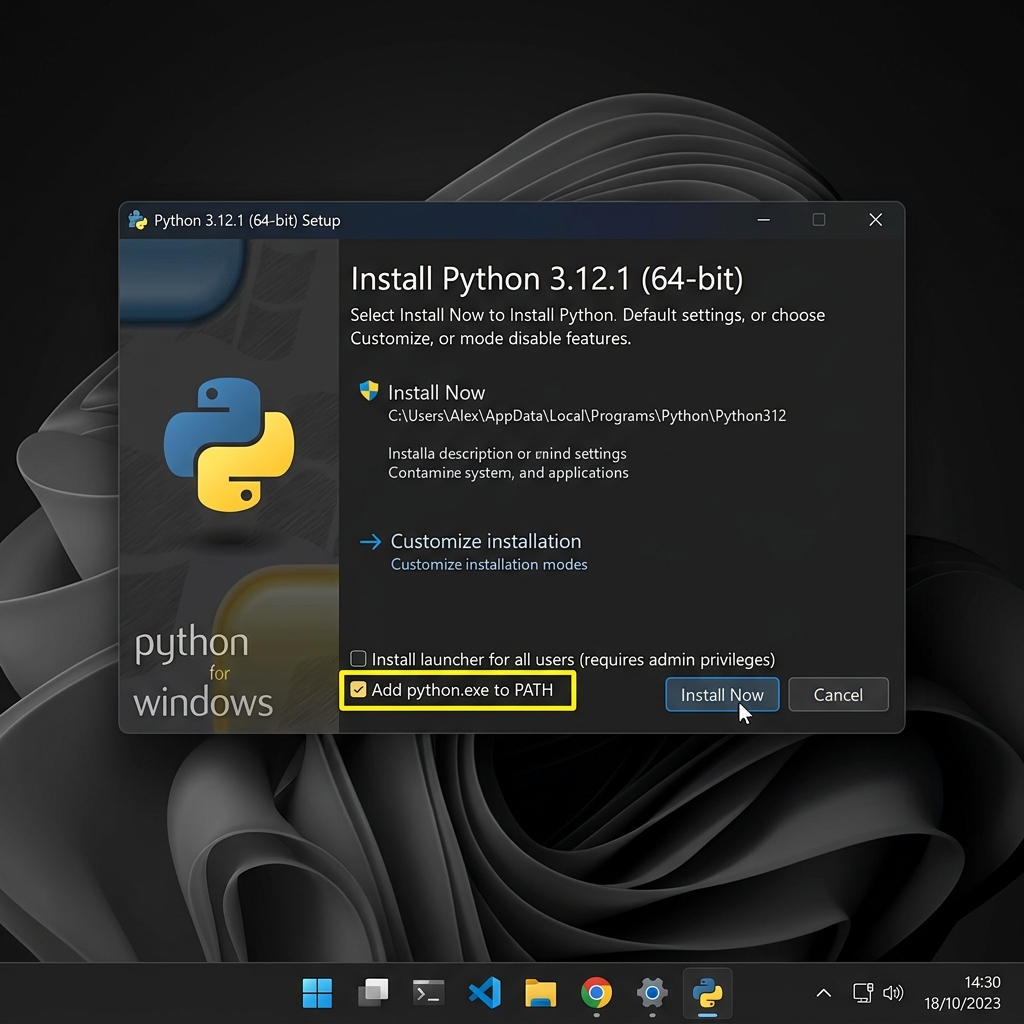
When the installer opens, you MUST check the box at the bottom that says "Add python.exe to PATH". If you miss this, you will have to reinstall.
2Verify
Open your terminal (PowerShell on Windows, Terminal on macOS) and type:
python --versionYou should see something like Python 3.12.x. If you get an error, restart your terminal and try again.
Part 2: Git (The Time Machine)

Git
Version control that tracks every change you make. Think of it as "save checkpoints" for your entire project. Essential for collaboration and deployment.
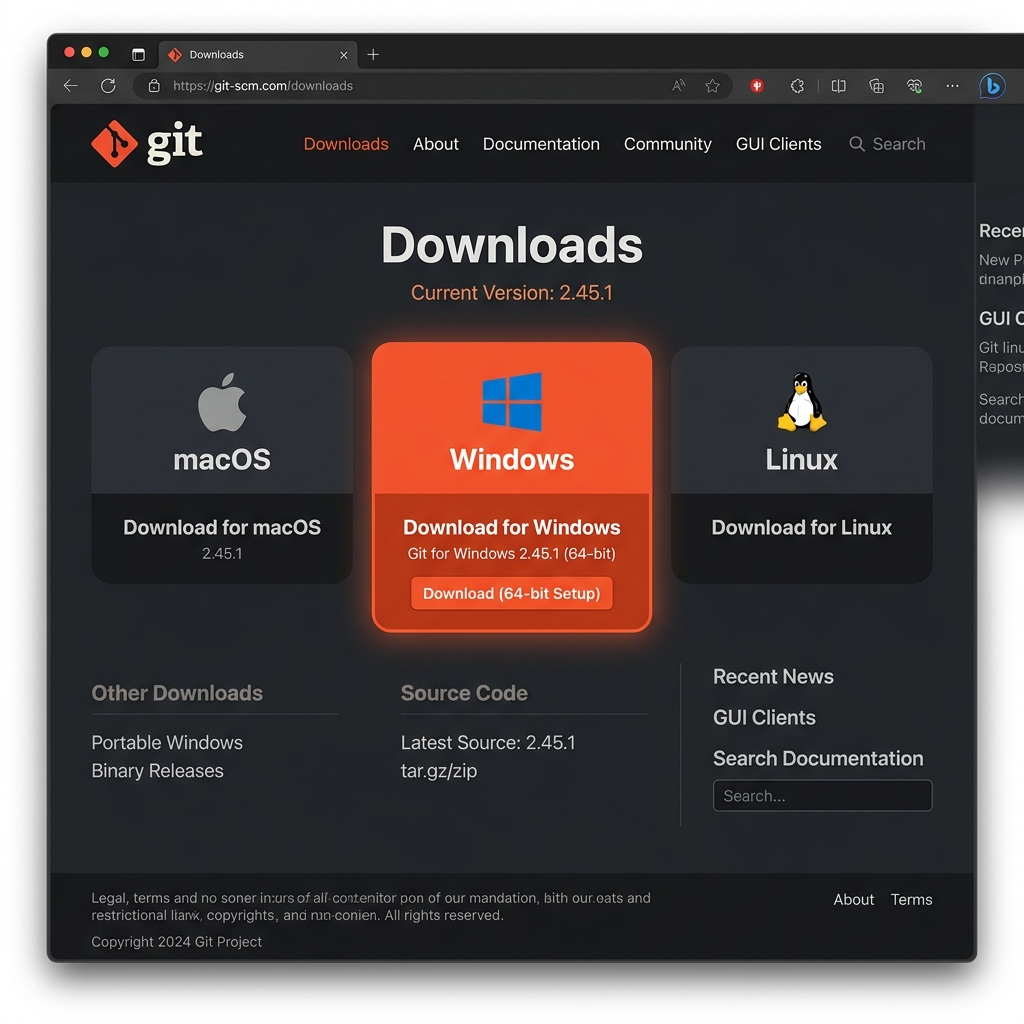
2Install
The installer has many options. Just keep clicking "Next" (the defaults are fine for our purposes).
3Verify
In your terminal, type:
git --version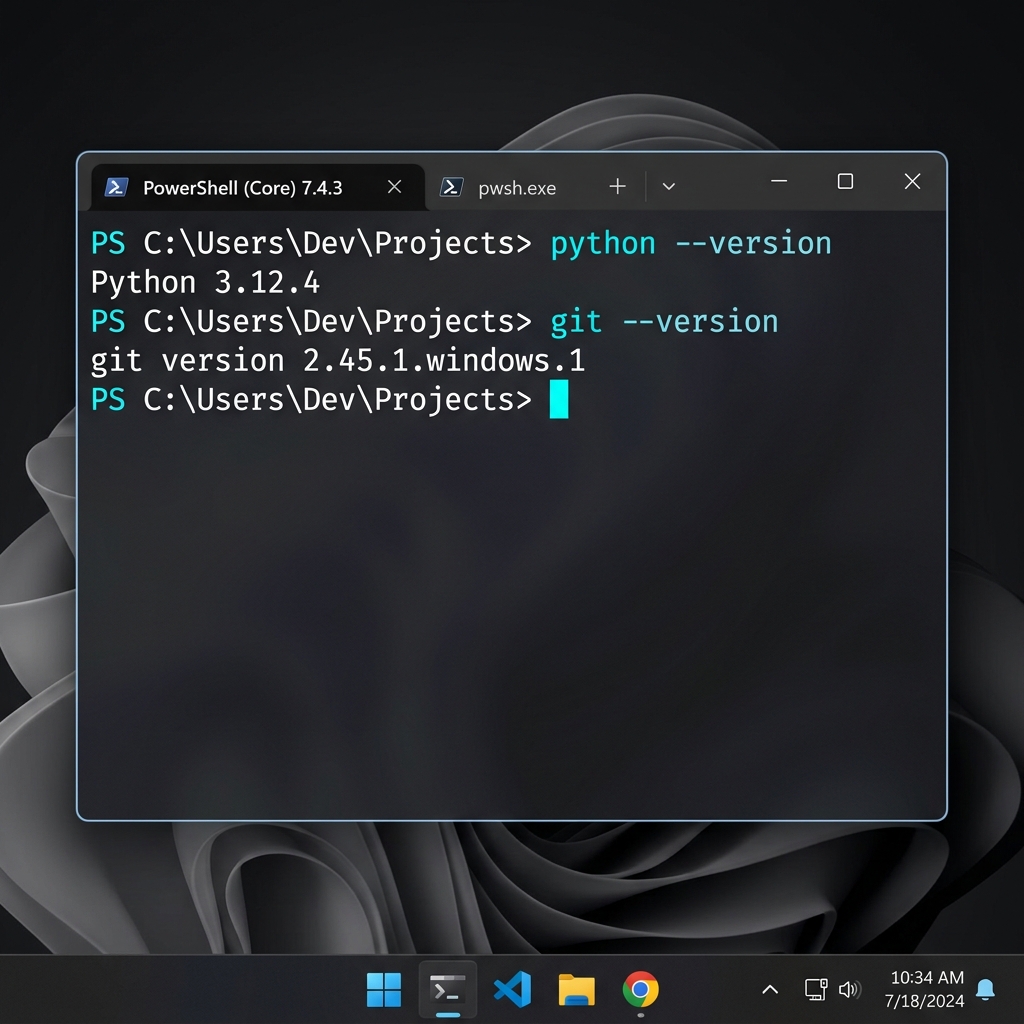
If both commands return version numbers, you are cleared for launch. ✅
✅ Readiness Check
python --versionreturns 3.12 or higher.git --versionreturns any version number.- Both commands work from a fresh terminal window.